
The Complete Guide to HubSpot CMS Migration in 2026
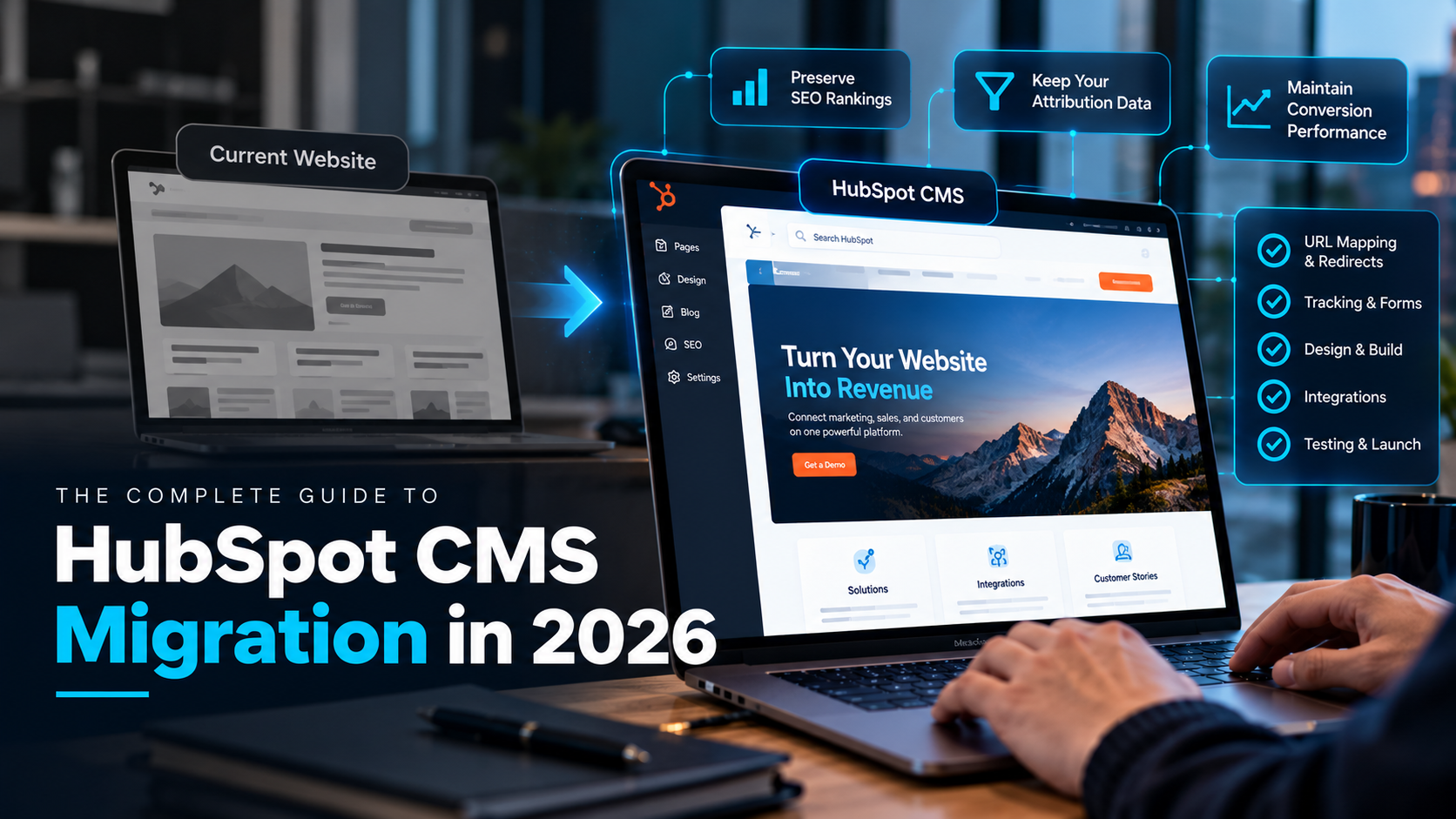
Before migrating a B2B SaaS website to HubSpot CMS, decide what must survive the move: your organic rankings, your attribution data, and your conversion performance. That means building a full URL inventory and redirect map, auditing every tracking script and form, benchmarking conversion rates, defining where your marketing site ends and your product begins, and agreeing on who owns the site after launch. Teams that treat the migration as a controlled, URL by URL release protect their pipeline. Teams that treat it as a redesign with a new login tend to find the damage in next quarter's reports.
This guide is for B2B SaaS revenue and marketing leaders planning a website migration. It covers the considerations that matter most, a step by step plan, a launch checklist, costs, and common mistakes. One naming note: HubSpot's website tools were previously branded CMS Hub and now sit within Content Hub, so you will see both names in documentation and across the web. This guide uses "HubSpot CMS" for both.
Should a B2B SaaS company migrate to HubSpot CMS?
Migration makes sense when the website is a bottleneck for revenue, not just when the design feels dated. Use this table to pressure test the decision:
| Signals it is a good fit | Reasons to pause or rethink |
|---|---|
| Forms, tracking, and CRM data are unreliable or stitched together with plugins | Your real problem is messy lifecycle stages or lead routing, which a new CMS will not fix |
| Marketers wait on developers for routine page changes | Your site depends on deeply custom application code that must stay in a separate stack |
| You want website behavior tied to CRM data, such as personalization or CRM driven pages | You are about to change your brand, domain, and URL structure at the same time |
| You already run HubSpot CRM and want one platform for site, forms, and reporting | No one owns SEO, analytics, or the redirect map internally or through a partner |
What should a B2B SaaS company consider before migrating to HubSpot CMS?
1. SEO value and URL structure
Your rankings live at specific URLs. Google's guidance on site moves with URL changes recommends preparing the new site, building a URL mapping, configuring permanent redirects, and monitoring both old and new URLs afterward. Google also states that permanent redirects do not cause a loss in PageRank, that temporary ranking fluctuation is normal during a move, and that a move is processed URL by URL. Its guidance also advises making changes one after another rather than all at once, so avoid changing the domain, URL structure, copy, and templates in the same release if you can help it.
2. Attribution and analytics integrity
For a SaaS company, the website is where pipeline attribution begins. Before launch, inventory every tracking script and pixel: HubSpot tracking, analytics, tag manager containers, ad platform pixels, session recording, and consent tools. Confirm that UTM parameters persist through forms, that form fields map to the right contact properties, and that lifecycle stage and source properties populate the same way as before. Then test the full path from ad click to form submit to CRM record in staging.
3. Conversion performance
Record baselines before you touch anything: conversion rate by key page, demo request and trial signup rates, form completion rates, page speed, and top landing page performance. After launch you need something to compare against. Protect your highest converting pages by migrating their structure and messaging first, then testing improvements after the dust settles.
4. Where the marketing site ends and the product begins
Decide what moves and what stays. Many SaaS teams keep the application on a subdomain, keep documentation or a help center on a separate system, and migrate only the marketing site. Map signup flows, login links, pricing pages, and any embedded product components so nothing breaks at the seams. If you need private content or gated areas, note that HubSpot's Memberships capability is an Enterprise level feature, per Set2Close's CMS implementation documentation, so confirm your edition early.
5. CRM connection and data model
One of the strongest reasons to choose HubSpot CMS is its connection to the CRM. Decide up front which pages should be driven by CRM data, which forms create which records, and which personalization you actually need. Planning this before the build avoids rework when marketing and sales ask for it later.
6. Integrations and martech stack
List every third party tool the current site touches: chat, scheduling, product analytics, A/B testing, consent management, review widgets, and data enrichment. Check each one for compatibility and decide whether to keep, replace, or retire it. HubSpot's CMS developer documentation is the place to confirm technical details with your developers.
7. Content, design system, and governance
Decide what content moves as is, what gets rewritten, and what gets retired. Build themes and modules so editors can reuse components without developer help, and set permissions and approval rules. Without a clear owner for templates, naming, and QA, new sites drift back toward the mess you just left.
8. Budget, timeline, and team
Account for licensing, partner or agency costs, internal time, and the possibility of running two sites in parallel during the build. Name an owner for SEO, analytics, development, content, and project management, and agree on a launch window that avoids your biggest campaigns or product launches.
How do you migrate a website to HubSpot CMS? A step by step plan
- Discover and audit. Crawl the current site and export every URL, along with traffic, rankings, backlinks, and indexation status. Inventory forms, scripts, integrations, and templates. Capture baseline performance.
- Plan the architecture. Decide the new sitemap, URL structure, templates, and modules. Classify each old URL as keep, redirect to a specific new page, merge, or retire.
- Build the redirect map. For each URL that has traffic, links, or rankings, assign one closest equivalent destination. Avoid redirect chains and avoid sending everything to the homepage.
- Design and build in staging. Create the theme, modules, and pages. Rebuild forms natively in HubSpot and connect them to CRM properties. Carry over titles, meta descriptions, headings, alt text, canonical tags, and structured data.
- QA everything. Test redirects, forms, tracking, page speed, mobile layouts, and integrations. Have people who did not build the site test it too.
- Launch. Connect the domain, load the redirects, remove staging blocks, submit the new sitemap, and verify tracking in production.
- Monitor and fix. Watch search console reports, crawl errors, rankings, traffic, conversions, and form submissions daily at first, then weekly. Keep redirects live for the long term.
HubSpot CMS migration checklist
Before launch
- Full URL inventory with traffic, links, and indexation status
- Redirect map approved, with one destination per important old URL
- Titles, meta descriptions, headings, canonicals, and structured data carried over
- All forms rebuilt natively and mapped to CRM properties
- Tracking scripts, UTMs, and consent tools tested in staging
- Baseline conversion and page speed numbers recorded
- Internal links point to final URLs, not through redirects
- Staging environment blocked from indexing until go live
Launch day
- Domain connected and SSL working
- Redirects imported and spot checked
- Staging noindex and robots blocks removed from production
- New sitemap submitted
- Test form submissions land in the CRM with correct source data
- Analytics and ad pixels firing once, not twice
First 30 to 90 days
- Recrawl old URLs and confirm each returns one direct permanent redirect
- Review crawl errors, soft 404s, and indexation changes
- Compare traffic, rankings, and conversions to the baseline
- Fix broken links, missing metadata, and slow templates
- Keep redirects in place for at least a year, per Google's guidance
How do redirects work in HubSpot?
HubSpot's URL redirects tool lets you create, review, and manage redirects for domains connected to and hosted in HubSpot. Redirects can take up to 48 hours to propagate. For large migrations you can upload redirects in bulk with a CSV file, with a maximum of 500 redirects per import and a 140 character limit on uploaded URLs. Errors in an import file will prevent any redirects from importing, so validate the file first. For URL patterns, HubSpot also supports flexible pattern redirects. Long SaaS URLs and large blog archives are where these limits bite, so plan batches early.
How much does HubSpot CMS cost?
According to HubSpot's Content Hub page, there is a free tier, a Starter edition priced per seat, a Professional edition starting at $500 per month with three seats included, and an Enterprise edition starting at $1,500 per month with five seats included. HubSpot lists multiple site management, content approvals, and CMS customization at the Enterprise level. Prices and packaging change, so confirm current numbers on HubSpot's pricing page and add partner fees, internal time, and any parallel running costs to your budget.
What mistakes should you avoid?
- Redirecting everything to the homepage. It wastes link equity and confuses visitors.
- Changing too much at once. A new domain, new URLs, new copy, and new tracking in one release makes problems impossible to diagnose.
- Forgetting metadata and structured data. Titles, descriptions, and schema often get lost in a rebuild.
- Reusing third party forms. Native HubSpot forms mapped to the right properties keep CRM data clean.
- Double firing or dropping tracking. Test analytics and pixels in production on launch day.
- Taking down redirects too soon. Keep them in place for the long term.
- No owner after launch. Someone has to maintain templates, redirects, and performance.
How does Set2Close handle HubSpot CMS migrations?
Set2Close is a HubSpot Elite Partner, and our CMS implementation service follows a structured sequence: solution design covering user journeys, data architecture, and a project timeline; high resolution mockups in Figma; design revisions before development starts; development of modular, editor friendly components and data integrations; project team QA plus a second pass from team members who were not staffed on your project; user acceptance testing with your actual users; training and documentation; and a go live phase where we configure redirects so you avoid floating pages and 404s. After launch, we move into ongoing support and optimization.
Because the website connects to your CRM, we pair CMS work with CRM development and marketing operations support so forms, lifecycle stages, and attribution stay consistent from first visit to closed deal. If you are still choosing a partner, our guide to the best HubSpot partners for RevOps and AI automation gives you a scorecard you can apply to any firm, including us.
Ready to plan your HubSpot CMS migration?
Talk to the Set2Close team. We will review your current site, identify the SEO, tracking, and conversion risks specific to your setup, and outline a migration plan that protects pipeline.
Frequently asked questions
What should a B2B SaaS company consider before migrating to HubSpot CMS?
Consider SEO and URL changes, attribution and tracking integrity, conversion baselines, the boundary between your marketing site and product, CRM and form mapping, integrations, content governance, and budget and ownership. The most important step is a complete URL inventory and redirect map.
Will migrating to HubSpot CMS hurt our SEO?
It does not have to. Google says permanent redirects do not cause a loss in PageRank, but some temporary ranking fluctuation is normal during a move. Risk rises when redirects are missing, metadata is lost, or several major changes ship at once. Map URLs, carry over on page signals, and monitor closely after launch.
How long does a HubSpot CMS migration take?
It depends on page count, design changes, integrations, and the redirect map. Google notes that for a medium sized site, most pages take a few weeks to move in its index after launch, and larger sites can take longer. Set2Close's projects typically run three to six months from design through go live and support.
How many redirects can I upload to HubSpot at once?
HubSpot allows up to 500 redirects per bulk upload, and URLs in the upload can be at most 140 characters. If your file has errors, none of the redirects will import until it is corrected. Larger sites should split the work into batches and use flexible pattern redirects where URL patterns repeat.
How do I keep marketing attribution intact during a migration?
Inventory all tracking scripts and pixels, rebuild forms natively in HubSpot with correct property mapping, test UTM persistence and source properties in staging, and verify a test submission end to end on launch day. Compare lead source and lifecycle data to your baseline for the first several weeks.
How much does HubSpot CMS cost?
HubSpot lists a free tier, a Starter edition priced per seat, Professional from $500 per month with three seats, and Enterprise from $1,500 per month with five seats. Check HubSpot's current pricing page, and budget for implementation, training, and ongoing support as well.
Can we keep our app and documentation on separate platforms?
Yes. Many SaaS companies migrate only the marketing site and keep the application and documentation on their existing stack. Plan the links, signup flows, and shared navigation so visitors move smoothly between them, and test those seams before launch.
Do we need a partner to migrate to HubSpot CMS?
Not always, but a partner helps when you have many URLs, complex tracking, custom modules, CRM driven pages, or limited internal capacity. Ask for a redirect plan, a tracking and form QA process, and a clear plan for who owns the site after launch.