
HubSpot Service Hub for Professional Services: Beyond Ticketing
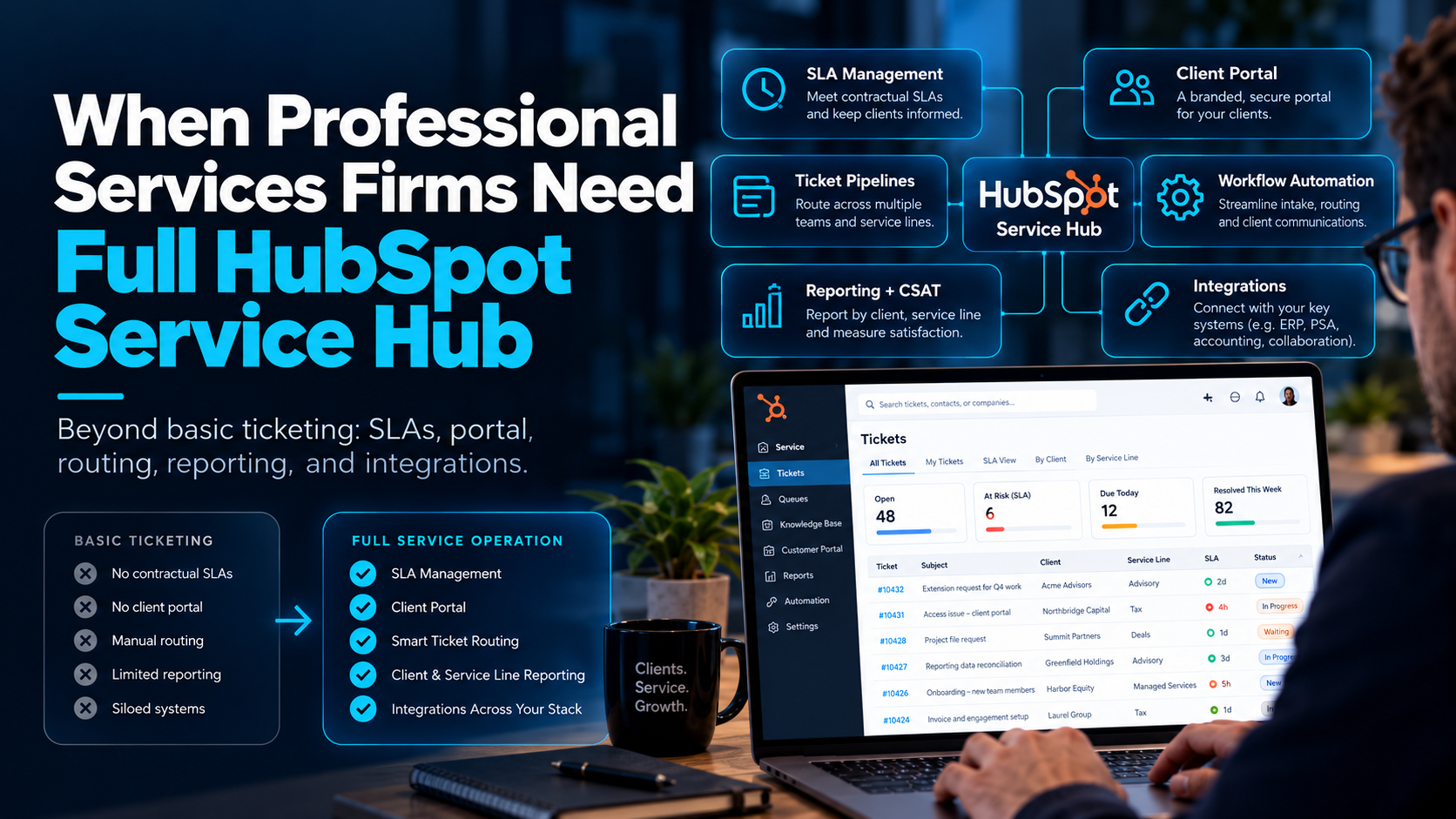
A professional services firm needs a full HubSpot Service Hub implementation, not just basic ticketing, once client support depends on contractual SLAs, a client portal, routing across multiple teams, or data that lives in other systems. If a single team answers a low volume of requests with no response commitments, free ticketing may be enough. If you manage multiple service lines, retainers, or enterprise clients who expect visibility and fast resolution, you need pipelines, SLAs, knowledge base, portal, reporting, and integrations designed together.
This guide is for professional services revenue and operations leaders who are modernizing client support on HubSpot. It covers where basic ticketing stops, six signs you have outgrown it, what a full implementation includes, and which Service Hub edition fits.
What can basic HubSpot ticketing do, and where does it stop?
HubSpot's free Service Hub tools give small teams a shared inbox, contact records in the CRM, live chat, a central ticketing system, and basic reporting. According to HubSpot's Service Hub pricing guide, the free tools are limited to two users, carry HubSpot branding on customer-facing assets, and do not include SLA tracking, advanced routing, help desk automation, or a knowledge base connection. Support stays largely manual until you move to a paid edition.
That is a reasonable starting point. It becomes a constraint when clients expect a defined response time, a place to check on their requests, and a consistent experience no matter who on your team picks up the issue.
Six signs your professional services firm has outgrown basic ticketing
- You have contractual or promised response times. If you commit to response or resolution windows by client, service tier, or priority, you need SLA rules and reporting, not manual tracking.
- Clients ask for self-service visibility. If clients email for status updates, a client portal and knowledge base can deflect that volume and give clients a single place to track requests.
- Different service lines need different workflows. Audit, advisory, implementation, and managed services rarely share the same stages, owners, or escalation paths. One generic pipeline makes prioritization and reporting messy.
- Client data lives in other systems. Billing, project management, and professional services automation tools hold context your support team needs on every ticket.
- Leadership wants reporting by client and engagement. Resolution time, SLA compliance, satisfaction scores, and team capacity are hard to trust when tickets use default properties.
- Several teams touch the same client. Account managers, delivery teams, and support need shared context, clear ownership, and permissions that match your confidentiality requirements.
If three or more of these apply, basic ticketing will cost you more in manual work and client frustration than a proper implementation costs to build.
What does a full Service Hub implementation include?
Ticket pipelines built around your service lines
Instead of one catch-all pipeline, you design pipelines and stages around how work actually moves, with required fields that make reporting meaningful. HubSpot's ticketing system connects each ticket to the contact, company, and deal history in the CRM.
SLA management
SLAs define how quickly you respond and resolve by priority or pipeline, and they should pause correctly when a ticket is waiting on the client so breach reports stay fair. HubSpot's pricing guide shows response and resolution tracking in Professional and conditional SLAs in Enterprise.
Client portal and knowledge base
HubSpot's customer portal is a login protected space where clients can see and manage their support tickets. Before you promise clients more than that, note one limit from HubSpot's documentation: only tickets appear in the portal, and conversations not associated with a ticket do not. Pair it with a knowledge base so clients can find answers before they raise a ticket.
Routing and workflow automation
Workflows route tickets by issue type, client tier, or owner, send internal notifications, start SLA timers, and escalate before a deadline is missed. Done well, nothing sits unassigned.
Data model and integrations
Professional services data rarely fits default objects. A full implementation adds custom properties, custom objects such as engagements or retainers, and associations that show how clients, contracts, and tickets relate. It also connects billing, ERP, project, and field tools so support sees the whole client picture. HubSpot says Service Hub connects with more than 1,500 apps.
Reporting and client feedback
Useful dashboards cover SLA compliance, time to resolve, ticket volume by client and service line, team capacity, and satisfaction scores such as NPS and CSAT. HubSpot's customer feedback surveys feed this data directly into the CRM.
AI support and enablement
Professional includes access to HubSpot's customer agent, which handles common questions and runs on HubSpot Credits. Whatever you automate, your team needs role based training so they trust the system and use it consistently.
Which Service Hub edition fits a professional services firm?
Most firms land on Professional or Enterprise. The table below summarizes HubSpot's published plan details. Prices and features change, so confirm the current numbers on HubSpot's Service Hub pricing page before you budget.
| Edition | Pricing per HubSpot | What it adds for professional services |
|---|---|---|
| Free | $0, up to 2 users | Central ticketing, shared inbox, basic reporting |
| Starter | From $7 per seat per month, billed annually | No HubSpot branding, conversation routing rules, email templates |
| Professional | From $90 per seat per month, billed annually, plus a $1,500 setup fee | Help desk workspace, customer agent, knowledge base, customer portal, feedback surveys, workflow automation |
| Enterprise | From $150 per seat per month, plus a $3,500 setup fee | Conditional SLAs, skill based routing, customer journey analytics, more governance and permission controls |
As a rule of thumb, Professional suits firms moving from manual support to structured, automated service. Enterprise suits larger teams with strict SLA enforcement, multiple service tiers, or tighter governance needs. Budget for more than seats: onboarding fees, integrations, training, and HubSpot Credits for usage based AI features all affect total cost.
What is the difference between HubSpot onboarding and implementation?
Onboarding is a stock setup of out of the box features plus training on how to use them. Implementation customizes HubSpot to fit how your firm delivers and supports work, including custom properties and objects, service automation, integrations, and reporting. For a firm with multiple service lines and client commitments, onboarding alone usually leaves the hardest parts undone.
How do you roll out Service Hub in a professional services firm?
- Design the solution. Interview stakeholders, document how requests flow today, and define pipelines, SLAs, ownership, and reporting needs before building anything.
- Set up accounts and structure. Create users, teams, and permissions, configure ticket pipelines with required fields, and connect calendar and email.
- Build the data model. Add custom properties, objects, and associations, and migrate the data that needs a home in HubSpot.
- Integrate your systems. Connect billing, ERP, project tools, or an external CRM so tickets carry full client context.
- Migrate knowledge and templates. Move knowledge base articles with redirects, email templates, and snippets, and build the workflows that keep tickets moving.
- Report, train, and refine. Launch dashboards for SLA, capacity, NPS, and CSAT, train each role, and review results monthly.
What mistakes should you avoid?
- Using one pipeline for every team and client type. It cripples prioritization and reporting.
- Leaving ticket properties on default. If you cannot filter by client tier or issue type, you cannot report on it.
- Overpromising on the portal. Clients will see tickets there, so plan separately for project status, documents, or billing visibility.
- Ignoring SLA pause rules. Without them, waiting on client time inflates breach numbers.
- Skipping the knowledge base. It is the cheapest way to reduce repeat tickets.
- Treating training as optional. Adoption determines whether the system is trusted.
How does Set2Close implement HubSpot Service Hub?
Set2Close is a HubSpot Elite Partner, and our Service Hub implementation service follows the sequence above: solutions design with a project timeline, account setup including service pipelines and permissions, custom data setup, integrations with billing, ERP, external CRMs, and field service tools, knowledge base and template migration, custom reporting for SLA management, capacity, NPS, and CSAT, and role based training.
Because Service Hub depends on the CRM underneath it, we pair it with our CRM development and build out work, so your service data, sales data, and client records agree with each other. If you are still choosing a partner, our guide to the best HubSpot partners for RevOps and AI automation gives you a scorecard you can apply to any firm, including us. And if you want AI in the support workflow, we also build custom AI agents.
Ready to move beyond basic ticketing?
Talk to the Set2Close team about your support workflow. We will review how requests move today, where SLAs and client visibility break down, and which Service Hub edition and setup make sense for your firm.
Frequently asked questions
When does a professional services firm need a full HubSpot Service Hub implementation?
When client support involves SLAs, multiple service lines, a client portal, cross team routing, or data from other systems. If you cannot report on response times, resolution times, and satisfaction by client, or if clients regularly ask for status updates by email, basic ticketing is no longer enough.
Can free HubSpot ticketing support a professional services firm?
For a very small team with low volume and no response commitments, yes. HubSpot's free tools include a central ticketing system, shared inbox, and basic reporting for up to two users. They do not include SLA tracking, advanced routing, help desk automation, or a knowledge base connection.
How much does HubSpot Service Hub cost for a professional services firm?
According to HubSpot, Professional starts at $90 per seat per month billed annually with a $1,500 setup fee, and Enterprise starts at $150 per seat per month with a $3,500 setup fee. Your total also depends on seat count, integrations, training, and HubSpot Credits for AI features, so confirm current pricing with HubSpot.
Does HubSpot Service Hub support SLAs?
Yes, on paid editions. HubSpot's pricing guide lists response and resolution time tracking in Professional and conditional SLAs in Enterprise. A good implementation attaches SLA rules to the right pipelines, sets them by priority, and pauses timers when a ticket is waiting on the client.
What can clients see in the HubSpot customer portal?
The portal is a login protected space where customers can access and manage their support tickets, and it is typically reached through the knowledge base. HubSpot notes that only tickets appear in it. If clients also expect project status, documents, or invoices, plan how to provide that separately.
Can Service Hub integrate with our billing and project management tools?
Yes. HubSpot states that Service Hub connects with more than 1,500 apps, and custom integrations are possible through its developer platform. Set2Close connects Service Hub to billing and ERP systems, external CRMs, field service tools, and custom platforms.
How long does a Service Hub implementation take?
It depends on the number of pipelines, integrations, and data migration needs. Set2Close's projects typically run three to six months, and simpler Service Hub scopes can be shorter. A solutions design phase produces a timeline with deliverables before the build begins.