What Is the ConstructConnect HubSpot Integration?
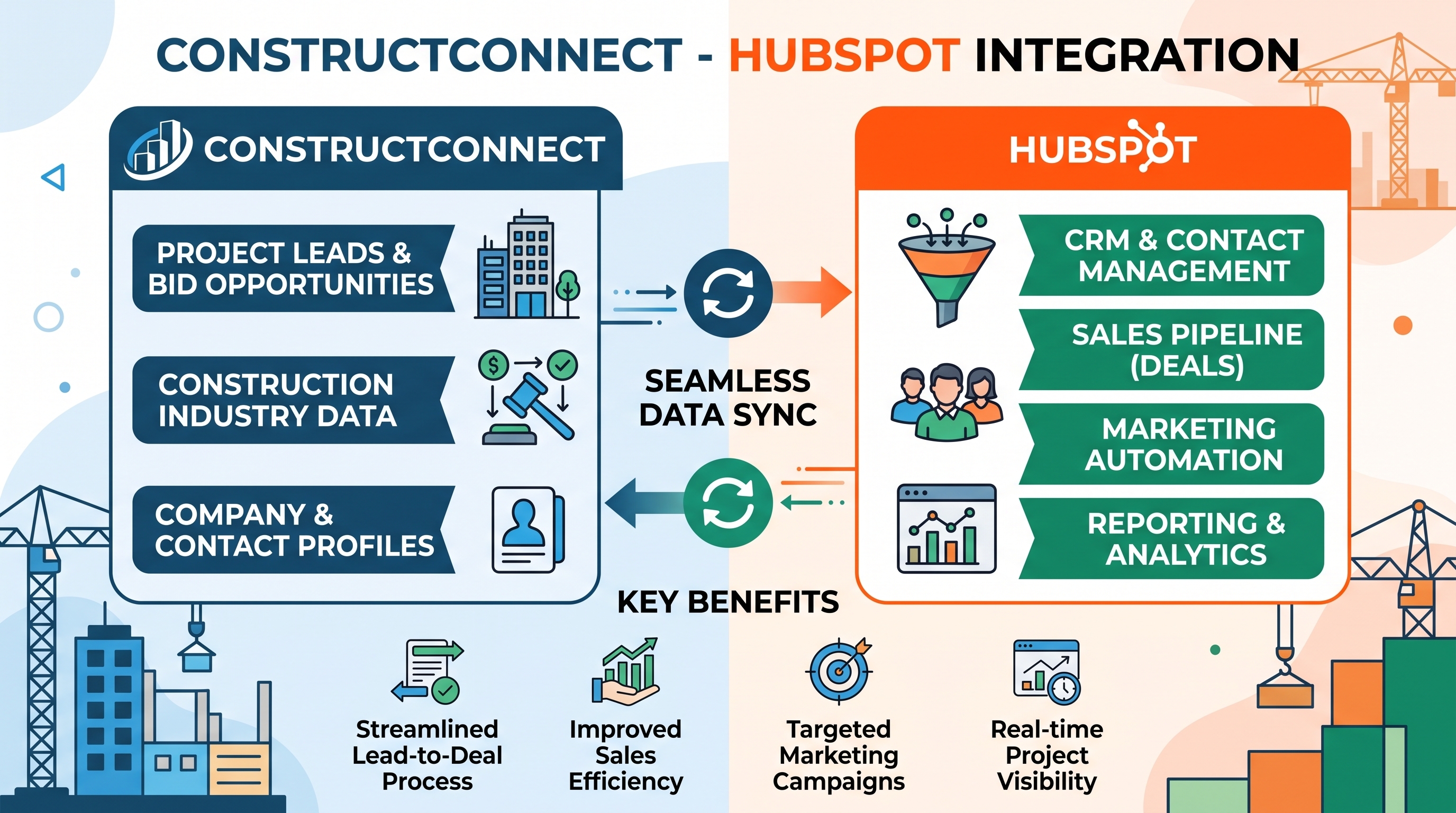
The ConstructConnect (formerly CDC) HubSpot integration is a managed connector that automatically syncs bid and project data from ConstructConnect Insight into HubSpot CRM — daily, without manual data entry. Built and maintained by Set2Close, it is currently the only production-validated integration of its kind for HubSpot users.
The integration runs a nightly sync at approximately 3AM EST, pulling ConstructConnect SFTP export data, parsing it through a managed Python orchestrator, and creating or updating Bid and Project custom objects in HubSpot. Each record includes a clickable deep-link back into ConstructConnect Insight for full context without switching tabs.
Quick answer: ConstructConnect does not offer a native HubSpot integration. Set2Close's managed connector fills that gap with daily SFTP-based syncing, 50+ mapped fields per client, and dedicated support — at $999/month after a one-time $4,500 setup fee.
Why ConstructConnect and HubSpot Don't Connect Out of the Box
ConstructConnect built a native Salesforce integration — listed on the Salesforce AppExchange as ConstructConnect Insight Sync at $15,000/year — but no equivalent exists for HubSpot. For the thousands of construction companies and specialty contractors running HubSpot as their CRM, that gap creates a daily operational problem.
Without an integration, sales teams face three pain points:
- Manual re-entry. Every bid found in ConstructConnect gets manually typed into HubSpot. At 250+ bids per day, that's a significant and recurring time cost.
- Stale pipeline data. Bids move fast in construction. Manually updated CRM records lag reality by hours or days, undermining forecast accuracy.
- No linkage between bid activity and CRM contacts. Sales activity in ConstructConnect and relationship data in HubSpot stay siloed — making it impossible to correlate bid wins with pipeline progression.
A custom build to solve this typically costs $20,000–$50,000 in development fees, plus ongoing maintenance. Set2Close's managed integration eliminates that cost and timeline.
How the ConstructConnect HubSpot Integration Works
The integration uses a three-step SFTP-based architecture — avoiding API fragility and webhook dependency.
Step 1: ConstructConnect exports bid data to SFTP nightly
ConstructConnect generates a structured XML export file from your saved searches and delivers it to a secure SFTP server each night. This export includes all saved bid and project data from your ConstructConnect Insight account.
Step 2: Set2Close's orchestrator syncs records into HubSpot
Set2Close's managed Python pipeline runs at ~3AM EST. It parses the XML export, maps fields to your configured schema, and creates or updates two custom objects in HubSpot:
- Bid records — including bid rank (top N bidders), bid amount, bid status, submission date, associated project, and a clickable ConstructConnect deep-link
- Project records — including project name, location, type, stage, owner/general contractor, estimated value, and company and contact associations
Auto schema validation runs on every pass. If field structure changes, the schema updates automatically — no manual maintenance required.
Step 3: Your team wakes up to enriched HubSpot records
By the time your sales team starts their day, the previous day's ConstructConnect bid and project data is already in HubSpot — linked to companies and contacts, ready for pipeline review, reporting, and workflow triggers.
What Data Gets Synced: Full Field List
Bid Object Fields
| Field | Description |
|---|---|
| Bid rank | Ordering within top N bidders |
| Bid amount | Submitted bid value |
| Bid status | Current status from ConstructConnect |
| Associated project | Linked to Project custom object |
| ConstructConnect deep-link | One-click access to Insight record |
| Submission date | Date bid was submitted |
Project Object Fields
| Field | Description |
|---|---|
| Project name | Full project name |
| Location | City, state, region |
| Project type | Vertical / construction category |
| Project stage | Pre-bid, bid, awarded, etc. |
| Owner / general contractor | GC or owner entity |
| Estimated value | Project dollar estimate |
| Company associations | Linked HubSpot company records |
| Contact associations | Linked HubSpot contact records |
| Custom fields | Up to 50 mapped fields per client |
*Field mapping is configured during a one-on-one discovery session. Additional fields beyond the standard set can be mapped to match your team's existing HubSpot properties.
ConstructConnect HubSpot vs. ConstructConnect Salesforce Integration: Side-by-Side Comparison
| Feature | Set2Close (HubSpot) | ConstructConnect Insight Sync (Salesforce) |
|---|---|---|
| Daily SFTP sync (~3AM EST) | ✓ | ✓ |
| Bid rank ordering (top N bidders) | ✓ | ✓ |
| Company + contact associations | ✓ | ✓ |
| Clickable ConstructConnect deep-link | ✓ | ✓ |
| Auto schema maintenance | ✓ | ✓ |
| Custom objects (flexible) | ✓ Bids + Projects | Standard Salesforce objects |
| Fully managed implementation | ✓ Set2Close | Self-serve / CC-assisted |
| Discovery session | ✓ 1 session included | ✗ |
| Training sessions | ✓ Up to 3 included | ✗ |
| Dedicated support | ✓ 2 tickets/month | Via ConstructConnect support |
| Auto lead/opportunity creation | Add-on available | ✓ Native |
| Single sign-on (SSO) | Deep-link only | ✓ Full SSO |
| Annual cost | $11,988/year | $15,000/year |
Bottom line: The Set2Close HubSpot integration saves $3,012 per year versus ConstructConnect's Salesforce connector — and includes a fully managed implementation, discovery session, and dedicated support that the Salesforce version does not.
Salesforce pricing source: Salesforce AppExchange — ConstructConnect Insight Sync listing, as of June 2026.
Pricing: What the ConstructConnect HubSpot Integration Costs
Set2Close uses a one-time setup fee plus a monthly subscription model.
One-Time Setup Fee: $4,500
Includes:
- Discovery session to configure field mapping for your environment
- Full build, testing, and QA
- Up to 3 training sessions for your HubSpot users
- Go-live support and handoff documentation
Monthly Subscription: $999/month
Includes:
- Infrastructure hosting and uptime monitoring
- Automatic schema maintenance on every nightly run
- Up to 2 support tickets per month
- 2 business day response time SLA
Not included in base scope: Historical bid data import, custom field mapping changes after go-live, and HubSpot workflow automations. These are scoped and priced separately on request. There are no per-seat fees and no usage limits.
Technical Requirements
The ConstructConnect HubSpot integration has two firm prerequisites:
- HubSpot Enterprise — Sales Hub, Service Hub, or Marketing Hub Enterprise. Custom objects are not available on HubSpot Professional or below. Clients not yet on Enterprise should review HubSpot's Enterprise pricing before requesting a demo.
- Active ConstructConnect Insight subscription with SFTP export enabled — This must be activated through your ConstructConnect Customer Success Manager before the integration can be set up.
If you meet both requirements, you're ready to proceed. If you're on HubSpot Professional and considering an Enterprise upgrade, Set2Close can assist with that transition as well.
Frequently Asked Questions
Does ConstructConnect offer a native HubSpot integration?
No. As of June 2026, ConstructConnect offers a native Salesforce integration (ConstructConnect Insight Sync) but no equivalent integration for HubSpot. Set2Close's managed connector is the only production-validated ConstructConnect-to-HubSpot integration available.
How often does bid data sync from ConstructConnect to HubSpot?
The integration runs a nightly sync at approximately 3AM EST, seven days a week. Data available in your ConstructConnect SFTP export the prior evening will be reflected in HubSpot by the start of the next business day.
What HubSpot plan do I need for this integration?
HubSpot Enterprise (Sales Hub, Service Hub, or Marketing Hub). The integration uses custom objects, which are only available on Enterprise-tier plans.
How long does setup take?
Most clients are live in production within a few weeks of completing the discovery session. Timeline varies based on ConstructConnect SFTP enablement, field mapping complexity, and client availability for training.
What happens if my ConstructConnect field schema changes?
Set2Close's orchestrator runs auto schema validation on every nightly pass. Most schema changes are handled automatically. Significant structural changes may require a brief support ticket to update field mapping.
Is historical bid data included?
Historical bid data import is not included in the base scope. It can be added as a separately scoped and priced project.
What support do I get after go-live?
The $999/month subscription includes up to 2 support tickets per month with a 2 business day response SLA. Tickets are handled directly by the Set2Close team — not routed through a third-party helpdesk.
Who is a real client using this integration?
Asphalt Zipper, Inc. — a construction equipment manufacturer — migrated from Salesforce to HubSpot and needed their ConstructConnect data to follow. Set2Close built the integration and had it running in production within weeks.
Who This Integration Is Built For
The ConstructConnect HubSpot integration is designed for:
- Construction companies and specialty contractors actively using ConstructConnect Insight for bid discovery and running HubSpot as their CRM
- Sales teams losing time to manual data entry between two systems that don't communicate
- RevOps and operations leaders who need clean, automated pipeline data without custom development costs
- Companies that migrated from Salesforce to HubSpot and lost their ConstructConnect connection in the process
- HubSpot Enterprise accounts looking to maximize their CRM investment with automated data sources
It is not a fit for companies on HubSpot Professional or below, or for teams without an active ConstructConnect Insight subscription with SFTP export enabled.
How to Get Started
- Confirm technical requirements — HubSpot Enterprise and active ConstructConnect Insight with SFTP enabled
- Request a demo at set2close.io/constructconnect-hubspot-integration
- Receive a response within 1 business day to schedule a discovery session
- Complete discovery — Set2Close configures field mapping for your environment
- Go live — integration is built, tested, and handed off with training
There's no prep required before requesting a demo. Set2Close handles the discovery, build, testing, QA, and training from the first session to go-live.
Related Articles

Best HubSpot CRM Consultants for Inbound and RevOps
If your HubSpot CRM isn't driving revenue the way it should, the issue probably isn't the software, it's how it was set up. Set2Close specializes in turning HubSpot into a revenue-generating engine...